
Take a quick look at the most notable differences:
Features | Raster Image | Vector Artwork |
Basic Unit | Pixel | Lines, curves, and paths |
Scalability | Blurry when enlarged | Remains infinitely sharp, irrespective of size |
Common Formats | JPEG, GIF, PNG | SVG, EPS, AI |
Best for | Digital phots | Icons, logos, and clear illustrations |
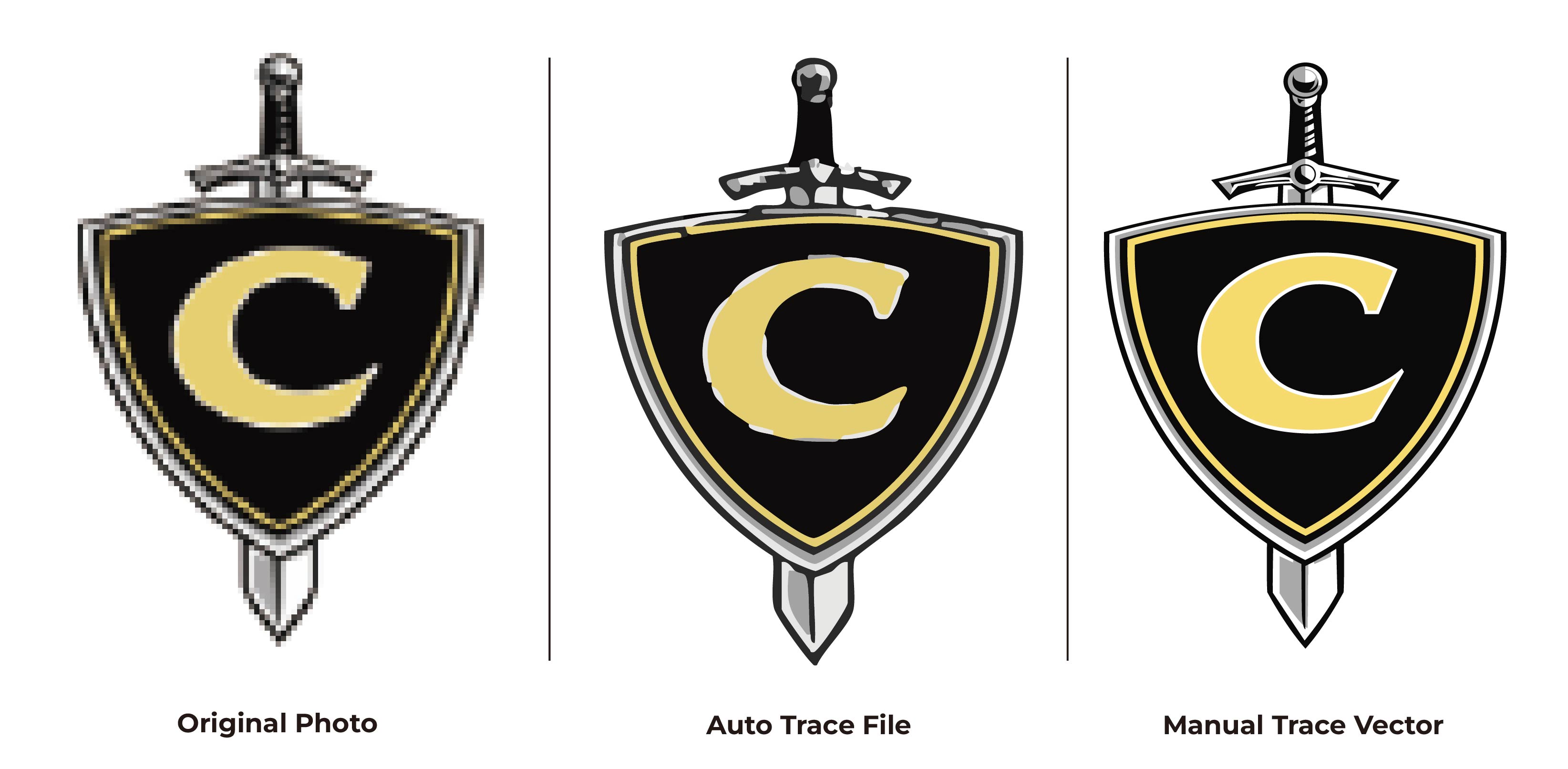
What are the Steps Involved in Raster-To-Vector Conversion?
Planning to transform your raster images into clean vector artwork? Here are the key steps involved:
#1 Artwork Evaluation
The very first step involves careful evaluation of the image to gain a clear picture of what settings to use and how to accurately trace the original picture. This step sets the foundation for raster image conversion and demands attention to every minute detail.
#2 Shape Recreation
Once you have clearly understood the requirements, it’s time to manually trace the image, preserving all the original elements effectively. First, you can trace the largest shapes and later work your way to the smaller details. The goal is to create clean and precise vector paths and shapes.
#3 Font and Color Matching
After tracing the outlines and details of the raster image, you need to adjust the widths, colors, and font styles to match the actual image. This step requires careful attention to ensure the delivery of exceptional outcomes.
#4 Path Refinement
Once the manual tracing is complete, you must spend time analyzing and inspecting your vector. The purpose is to look for uneven curves, stray points, or missing details. Be sure to adjust and refine the vector paths until perfection is achieved.
#5 Quality Review and File Preparation
Finally, make sure that the quality of your vector artwork meets the set standard requirements. After a successful quality check, save the file in the desired file format.
Conclusion
Converting raster images into vector artwork opens up endless possibilities for users. Whether you want to use the image for logos or illustrations, you get the perfect, production-ready files. Ready to transform your blurry images into stunning artwork? Partner with the skilled experts at Mango Drawing! Upload your image, share your specific requirements, and get manually created vector artwork with accuracy and perfection.
FAQs
Why should I convert a raster image to vector artwork?
The conversion allows you to easily scale images without losing quality.
What is the best vector format for converted artwork?
The best file formats include SVG, AI, EPS, CDR, and PDF.
How long does professional vector artwork conversion take?
The exact time varies and depends on the complexity and specific requirements of the vector artwork conversion.
Key Takeaways:
· Raster image to vector conversion helps transform blurry images into clear artwork ideal for printing and publication.
· The conversion process includes steps like image evaluation, shape recreation, font and color matching, path refinement, and file delivery.
· Collaborating with an experienced company like Mango Drawing is crucial to ensure the best outcomes