
Raster vs. Vector: What's the Difference?
Raster images are made up of tiny colored squares called pixels. Common raster formats include JPG, PNG, GIF, and TIFF. Because they're pixel-based, raster images work well for detailed photographs and realistic images. However, enlarging them stretches those pixels, causing the image to lose clarity.
Vector images don't use pixels. Instead, they're created with mathematical paths, lines, and shapes. Formats such as AI, EPS, SVG, and many PDFs can be resized without losing quality, making them perfect for graphics that need to appear at different sizes.
Feature | Raster Images | Vector Images |
Built From | Pixels | Mathematical paths |
Best For | Photos and detailed images | Logos, icons, illustrations |
Scalability | Limited | Unlimited |
Editing | Pixel editing | Shape and path editing |
Print Quality | Can become blurry | Remains sharp |
When Should You Use Each?
Neither format is better in every situation. The right choice depends on how the image will be used.
Choose raster images when you're working with photographs, digital artwork containing fine detail, or images intended primarily for websites and social media.
Choose vector images for logos, brand graphics, illustrations, icons, signs, packaging, promotional materials, and anything that may need to be resized or professionally printed.
Why Vector Graphics Are Preferred for Printing
Print projects often require artwork in multiple sizes—from business cards and brochures to banners and vehicle graphics. A vector file can be scaled up or down without losing sharpness, ensuring crisp text, smooth lines, and professional-looking results.
If the only version of your logo is a small JPG or PNG, it may not produce high-quality printed materials. That's why many printers request vector files before production begins.
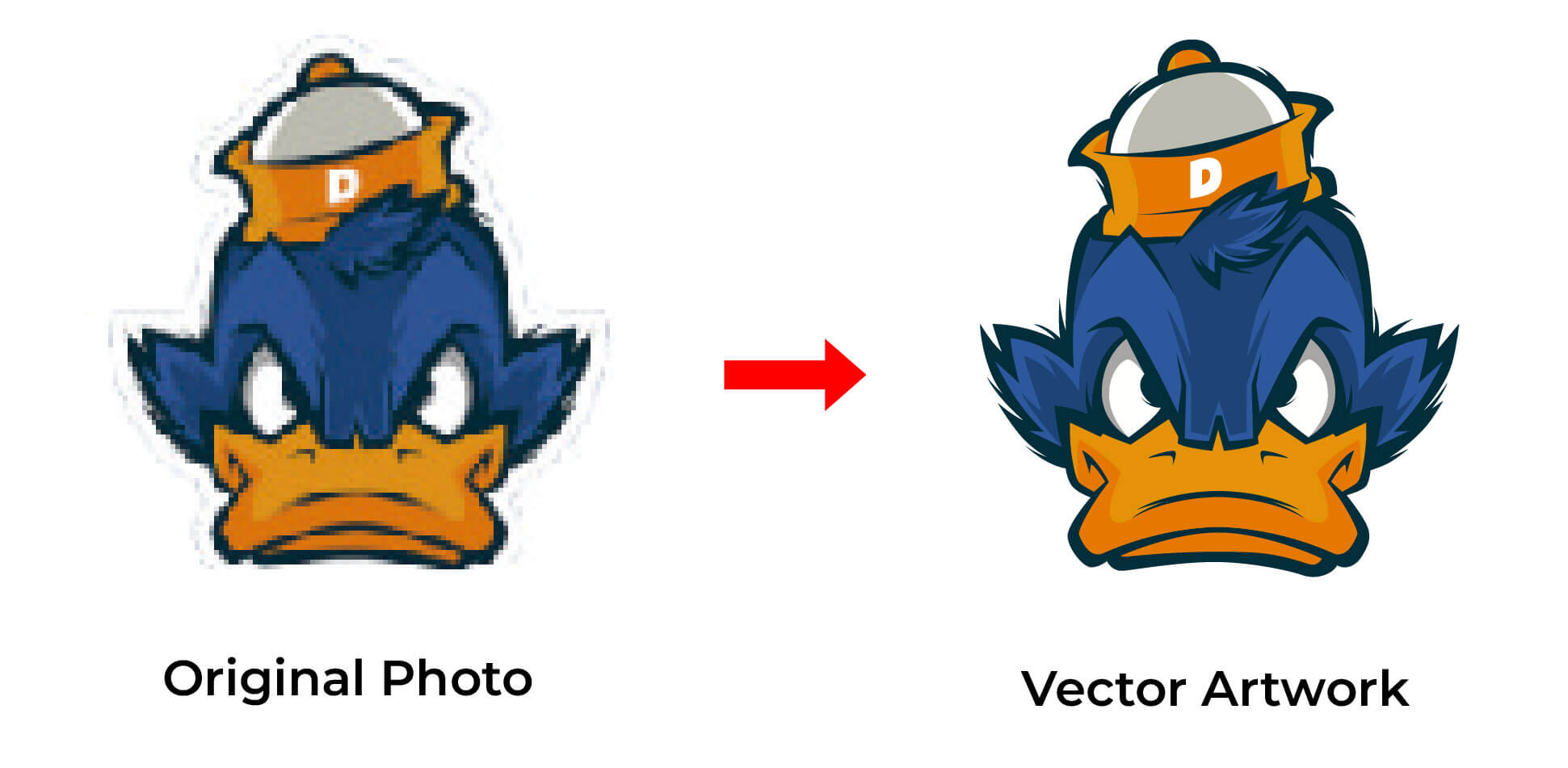
Can a Raster Image Be Converted into a Vector?
Yes, but it isn't always as simple as clicking a button.
Automatic conversion tools can create uneven lines, unnecessary anchor points, and inaccurate details. For logos and artwork that require precision, manual vector tracing usually produces cleaner, more editable files that are suitable for professional use.
Which File Formats Should You Keep?
For the greatest flexibility, it's worth keeping both raster and vector versions of your artwork.
· Use JPG or PNG for websites, presentations, and social media.
· Keep AI, EPS, SVG, or vector PDF as your master files for printing, branding, and future design work.
Having the correct file format from the beginning makes future projects faster, easier, and more cost-effective.
Frequently Asked Questions
Is PNG a vector file?
No. PNG is a raster image format, even though it supports transparent backgrounds.
Why do printers ask for vector files?
Vector files produce sharper, scalable artwork and can be edited without reducing image quality.
Can I convert a JPG into a vector?
Yes. A JPG can be converted into a vector file, but the quality depends on the original image and the conversion method.
Need Professional Vector Artwork?
If your logo or artwork is only available as a JPG or PNG, Mango Drawing can manually convert it into clean, scalable vector artwork that's ready for printing, branding, signage, and other professional applications. Every file is created by experienced artists to ensure accuracy, editability, and long-term usability.